LiveOps (GameOps Configuration)
LiveOps is an A/B testing and remote configuration tool provided by Homa. It lets developers enable or disable features and change game behavior for specific player segments, without shipping a new build.
How it works
LiveOps lets developers define player segments. Players are assigned to segments based on each segment’s conditions, using analytics events and user attributes. LiveOps then merges the configurations from all segments a player belongs to and returns the resulting configuration to the game.
Using LiveOps, one can also set up an A/B test to compare game performance in different scenarios. This is useful for trying out new features or experimenting with different game values.
Each configuration is a set of LiveOps parameters, each with a type, a default value, and optional overrides per segment or A/B test variant.
Segments, A/B tests and parameters are specific to an environment. Some games may have multiple environments, usually one for production and one for testing. The environment can be selected in Unity’s project settings, under HOMA/LiveOps.
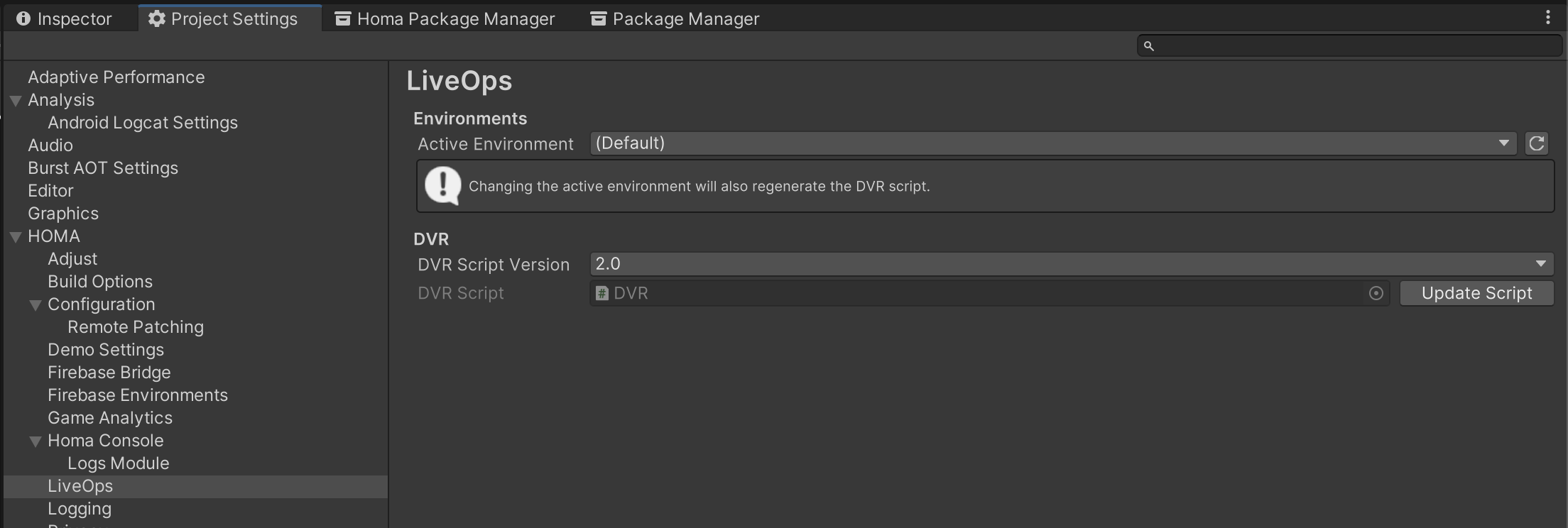
Warning
For projects not using SDK Core 5, switching Environment will always regenerate the DVR class. See Remote Configuration (DVR) for more information.
For more information about how to set up parameters, segments and A/B tests in Homa Lab, please refer to the dedicated Homa Lab documentation section.
Use LiveOps variables in a game
LiveOps parameters are automatically fetched by Homa SDK on startup. In projects using SDK Core 5, they are exposed to game code through the Configuration module.
The recommended workflow is:
- Define a parameter in Homa Lab under GameOps > Configuration > Parameters.
- Bind it to a field in your
Configclass using the[LiveOpsValue]attribute. - Access the value at runtime through a
Confighandle.
See the Modifying Configs using LiveOps tutorial for a step-by-step guide.
Debugging at runtime
The LiveOps module in Homa Console lets you inspect the active segments, config group values, and send user attributes directly from your device at runtime.