Multi Quantity Purchases
Google Play allows customers to purchase more than one of the same in-app product in one transaction by specifying a quantity from the purchase cart.
Unfortunately, Homa Belly Purchases does not currently support multi-quantity purchases. If you have enabled this feature, you should disable it in the Google Play Console.
Here is how to turn off multi-quantity purchases:
Go to the Google Play Console.
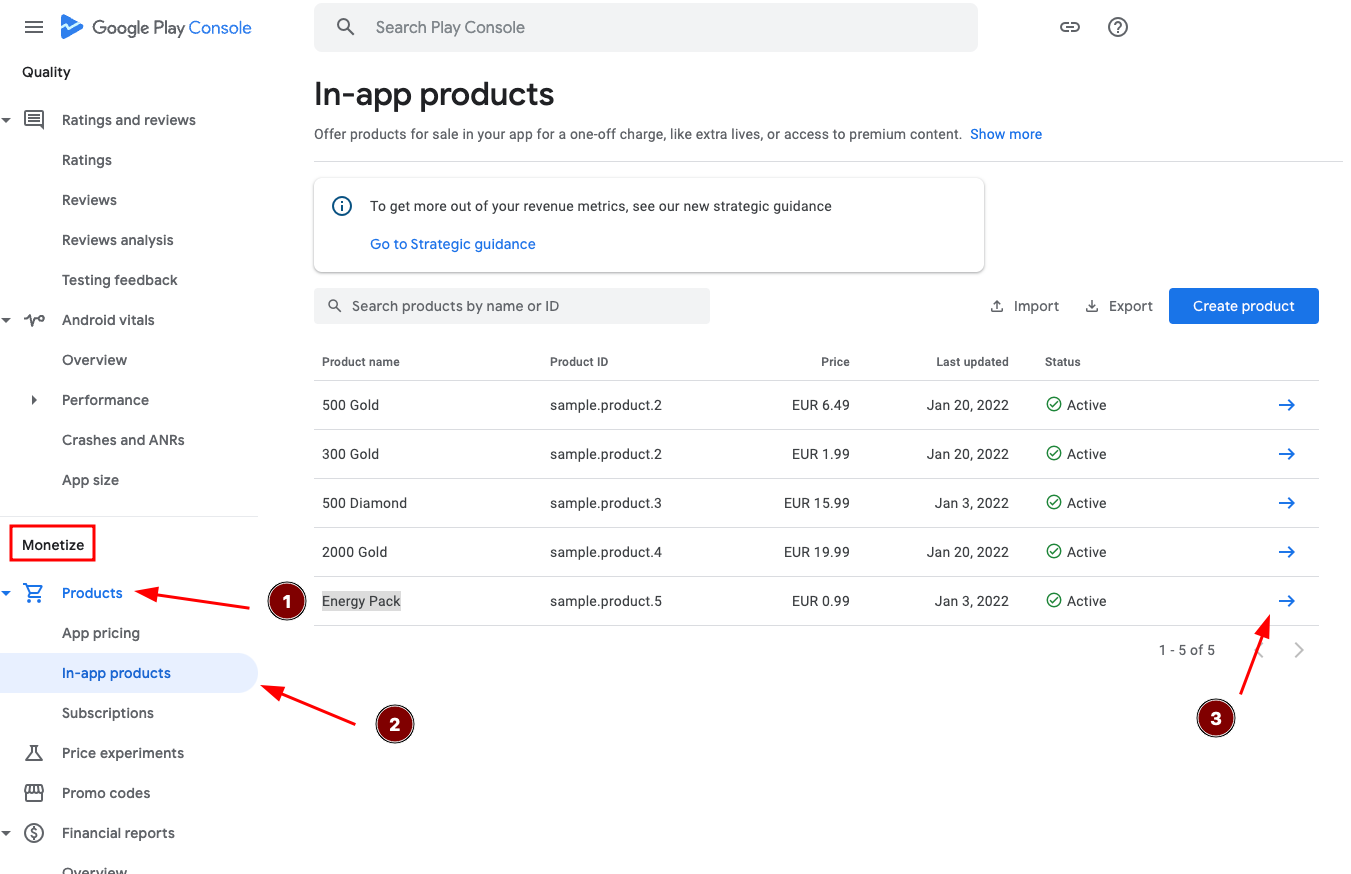
Under Monetize, click on Product > In-app products.
Open the product for which you want to disable the multi-quantity function.
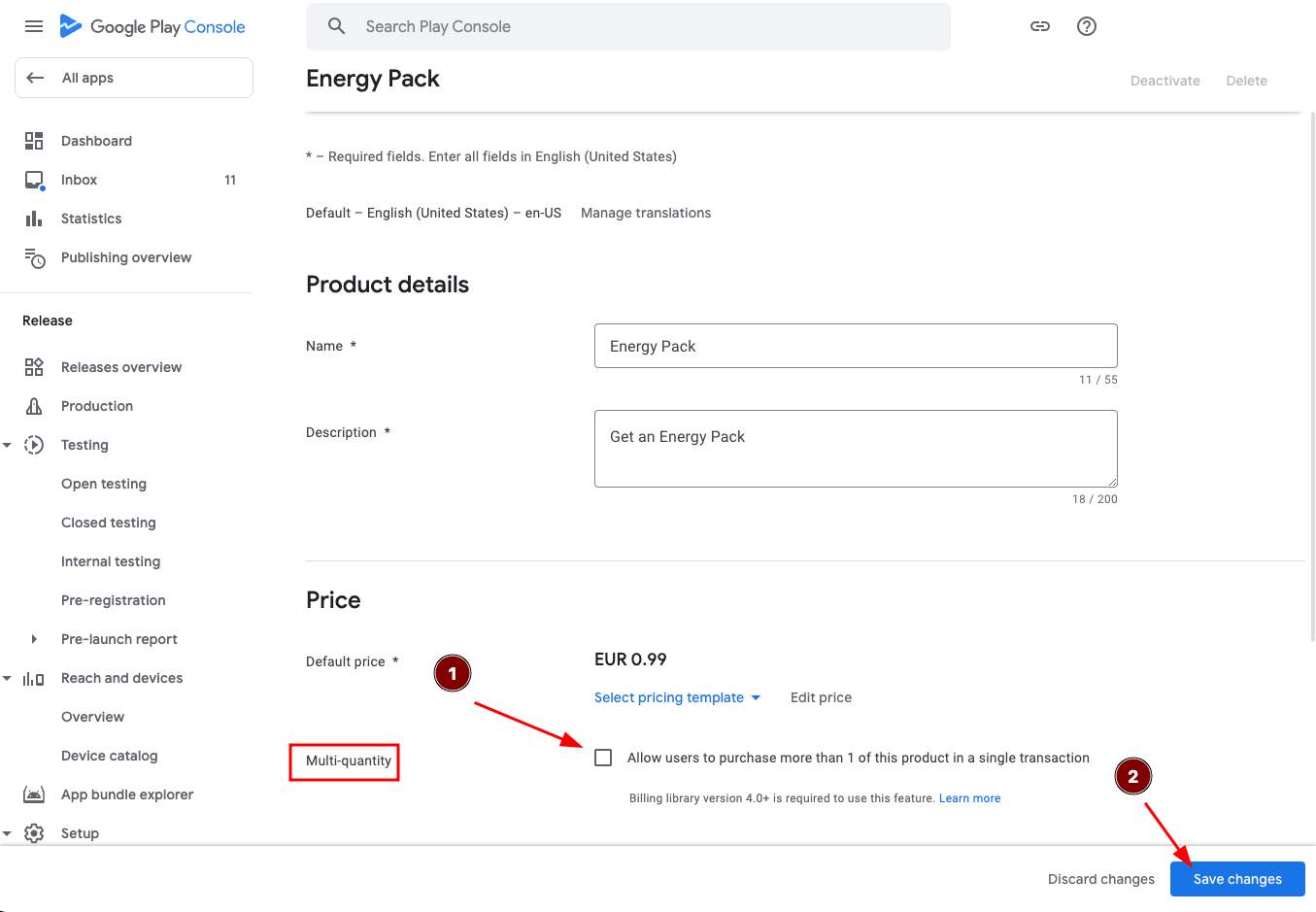
Locate the option for multi-quantity and unselect it.
Finally, click on "Save changes" to apply the modifications.