HTTP Proxy support
Foundation provides support for system defined HTTP proxy in Editor, Android, and iOS. It also enables SSL proxying in development builds. The HTTP proxy settings are automatically applied to the instances of HttpClient obtained from the HTTP Client Factory.
Setup
There are two kinds of proxy operations: request proxying and SSL proxying. Some restrictions apply depending on the platform.
Android
On Android, the request proxying is always available. SSL proxying is available only in builds with android.debuggable set to true in the AndroidManifest.xml. This flag is present in the manifest when using the Development Build option in the Unity Build Settings window.
If you need to use SSL proxying in a release build contact us.
iOS
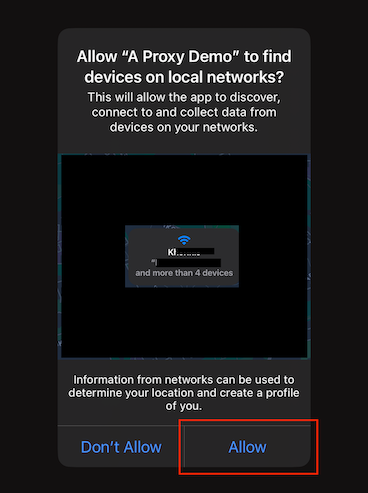
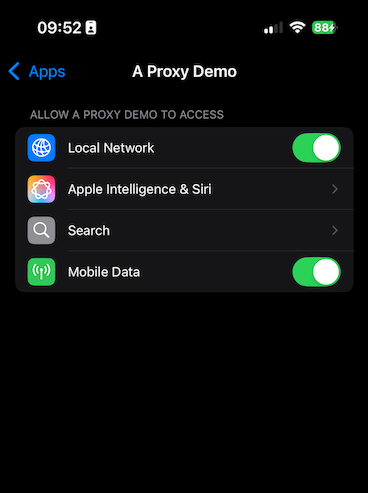
Depending on the proxy software used, proxying will require "Access Devices On Local Networks" permission.
Features comparison
With no additional configuratio, HttpClient instances in Unity do not support proxying, while UnityWebRequest does. The table below shows the differences between possible scenarios.
| Feature | UnityWebRequest |
HttpClient |
HttpClient from HttpClientFactory |
|---|---|---|---|
| Request proxying (all platforms) | ✅ | ❌ | ✅ |
| SSL proxying - Editor | ✅ | ❌ | ✅ |
| SSL proxying - Android | ✅ | ❌ | ✅ |
| SSL proxying - iOS | ❌ | ❌ | ✅ |
Obtaining system proxy settings
To read the proxy settings in code use the Homa.Sdk.Foundation.ProxyInfo class.