Creating Configs
Configs are used to store game configuration. In this tutorial, you'll learn how to declare and modify the Config, so it can be later used to drive the game logic.
Requirements
com.homagames.configurationpackage is installed.
Create a new Config class
Note
Put all the code you will create while following this tutorial under an Assembly Definition referencing Homa.Sdk.Configuration assembly.
Create a partial C# class with the ConfigAttribute. The attribute should have a string parameter that represents Config's unique identifier.
using Homa.Sdk.Configuration;
using UnityEngine;

[Config("enemy-balance")]
public partial class EnemyBalanceConfig
{
    public float HealthScalingFactor;
}
Create a Config file
For each Config you define in your project, you can create a single Config file. This file allows you to modify the Config values in the Unity Editor.
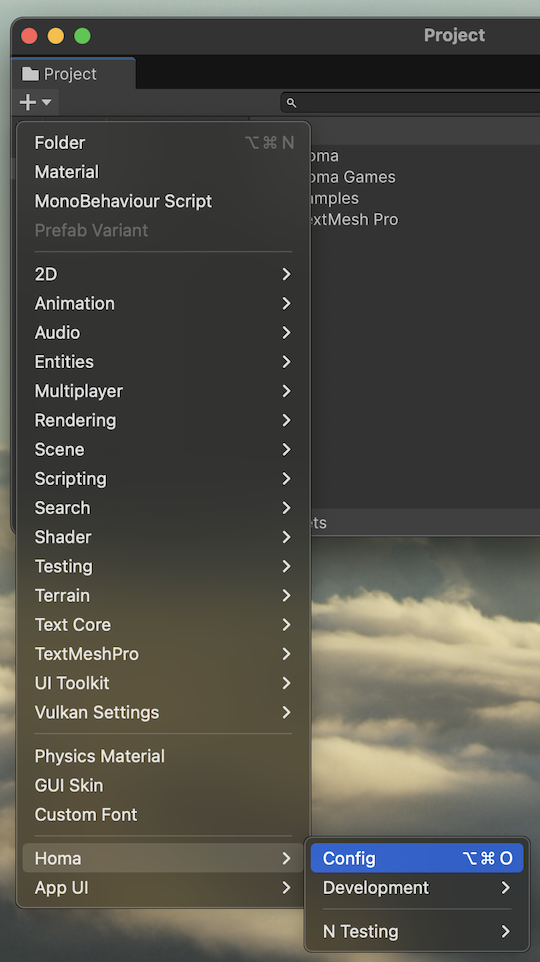
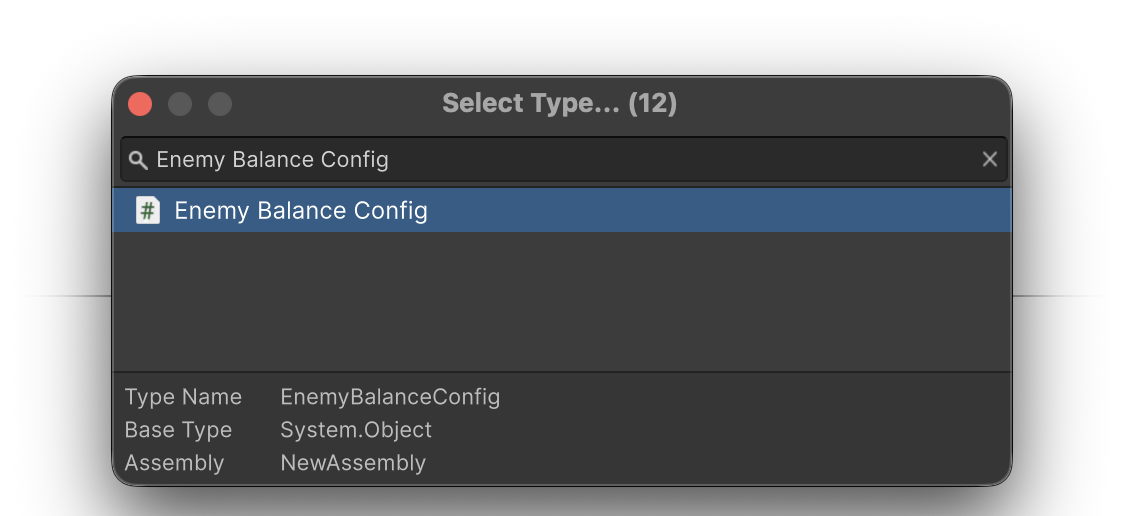
Click the "+" button in the Project window and select Homa > Config, from the pop-up window double-click the type of the config created in the previous step.
Modify the Config file
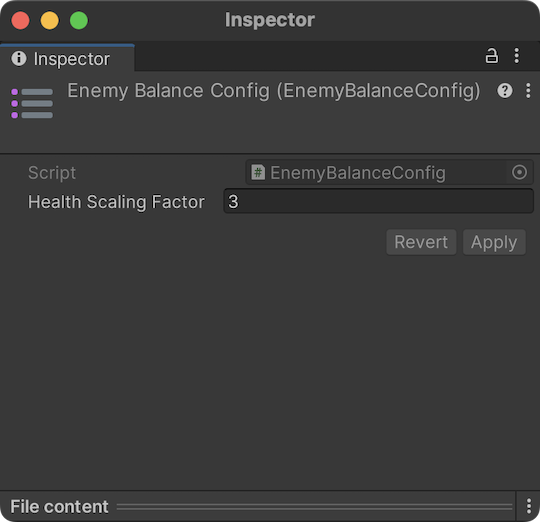
After creating the config file, you can modify its values in the Inspector window.
Change the HealthScalingFactor to a different value and click the Apply button.
Summary
In this tutorial, you learned how to create a Config class and a Config file and how to modify the Config values in the Unity Editor.